
Take full advantage of your Canon printer and scanner
MP Navigator EX is a free computer program that allows you to scan, save, and print photos and documents from your Canon MP series all-in-one printer. Similar to HP Scan Doctor and Epson Print and Scan – two software solutions designed to manage the printing and scanning needs of other brands – MP Navigator EX helps Canon users create physical copies of their digital files.
Top Recommended Alternative

Thanks to a comprehensive interface that bridges the gap between your home computer and an all-in-one Canon printer, MP Navigator EX makes it possible to create digital versions of your physical documents as well.
What does MP Navigator EX do?
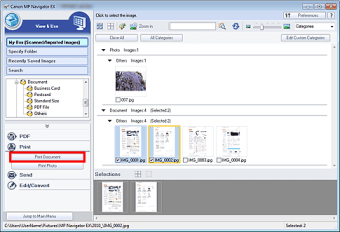
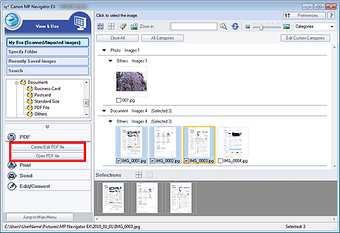
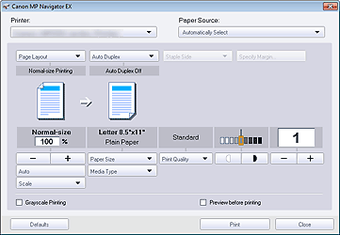
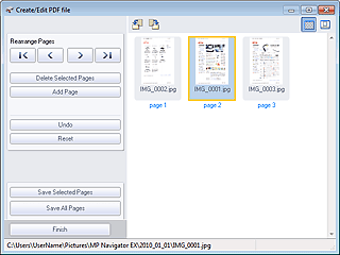
MP Navigator EX is a software solution designed to scan, save, and print your photos and documents. Once installed and connected to your computer, you’ll be able to print documents from your PC as well as scan physical photos and documents to create digital copies that can be saved to your hard drive. MP Navigator EX even works with documents or photos larger than your printer’s platen.
What devices are compatible with MP Navigator EX?
Whether you’re a macOS or Windows user, you’ll be able to install MP Navigator EX to scan and save documents with your all-in-one printer. On the hardware side, MP Navigator EX is compatible with Canon MP series printers that have scanning capabilities. For standard printers without a platen, other Canon software is available to control your printer’s functions.
A complete printing and scanning solution
When using a Canon MP series all-in-one printer, MP Navigator EX addresses all of your printing and scanning needs. Whether printing a single document or scanning a photo to scanning multiple documents at once or photos larger than the platen, MP Navigator EX handles the digital workload before leaving you with digital files that can be saved, printed or attached to an e-mail. Its simple interface is easy to use for even beginners and makes the process smooth and simple yet effective.






















.png)